Wispr Flow vs Apple Dictation
Apple Dictation hands you the words you said. Flow hands you the message you meant, already edited by the time it lands.



“I can’t say enough good things about Wispr Flow”
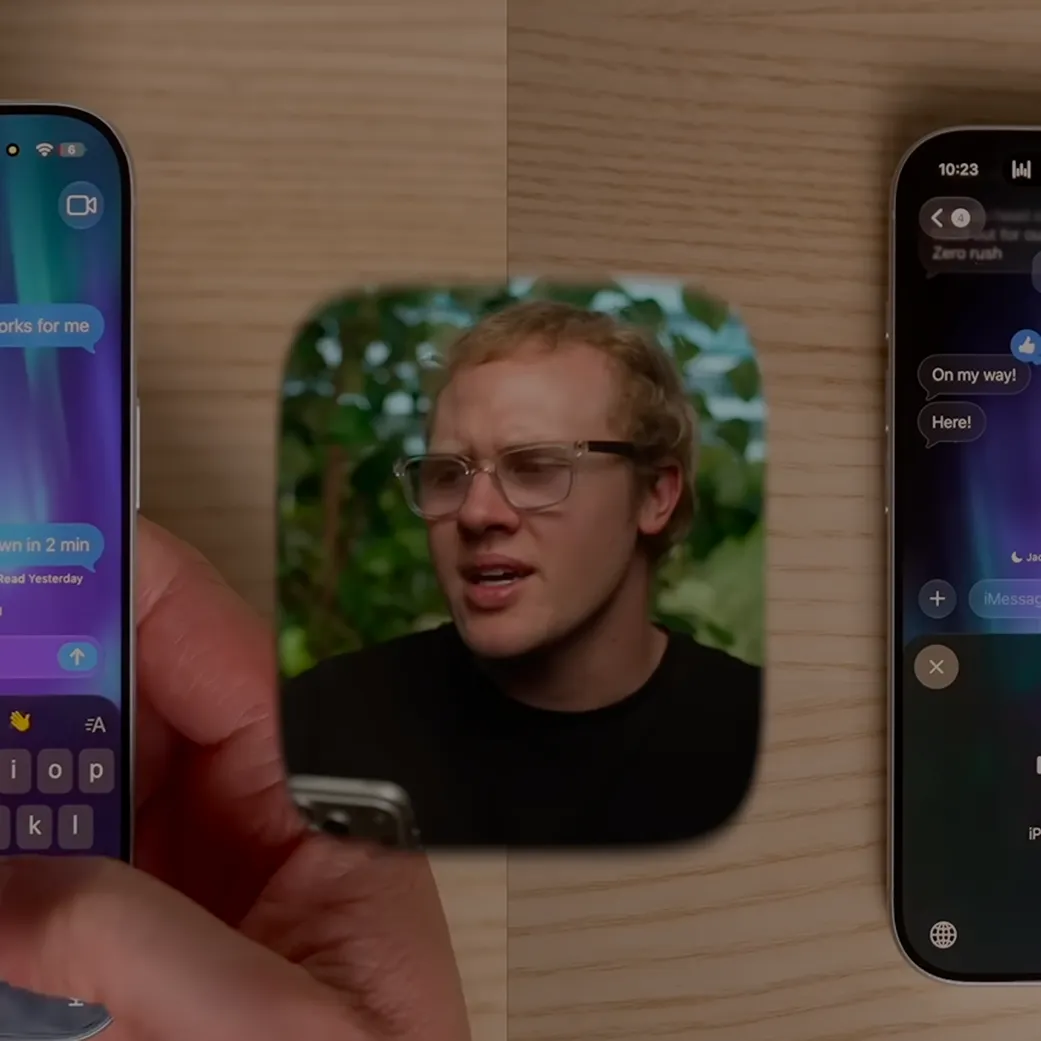
AppleTrack covered Flow in their Apple event roundup, and came away impressed. Watch the clip, then see for yourself.
.png)
Is Siri dictation the same thing as Apple Dictation?
Yes. The mic key on your iPhone keyboard and the Fn key on your Mac start a feature Apple simply calls Dictation. It runs on the same speech system as Siri, and Apple's settings put Siri and Dictation on one line, which is why most people call it Siri dictation. Siri itself is the assistant you ask questions. This page compares Wispr Flow with Dictation.
Wispr Flow vs Apple Dictation: the comparison table
Punctuation, capitalization, paragraphs, and lists added as you speak. Filler words and false starts removed.
The words you said, plus commas, periods, and question marks. Paragraphs and symbols only when you say the command.
A dictionary that learns names and terms, with a spelling rule per word, shared across your devices and your team.
None for Dictation. It knows the names in your Contacts. Custom vocabulary lives in Voice Control, which switches Dictation off.
Flow is Free, with paid plans available for teams and enterprises.
$0, included with the device.
No. Transcription runs in the cloud and needs a connection on every platform.
Yes, in 48 of 63 languages, processed on the device. The other 15 go to Apple's servers.
Download, sign in, and grant microphone and accessibility access. About five minutes on a Mac.
One toggle in Settings. No account, no download on iPhone.
Cloud storage on, and the option to let your dictations improve Flow pre-selected. Both have switches. With both off, dictation is not retained.
No audio stored unless you opt in. Most dictation never leaves the device.
100+ languages, including regional variants such as British English and Swiss German. Detects which one you are speaking.
63 languages, 48 of them processed on the device. The new iOS 27 engine covers nine English locales.
Mac, Windows, iPhone, and Android. No iPad app.
iPhone, iPad, and Mac. Nothing on Windows or Android.
When you release the key, or when you tell hands-free mode to stop.
On its own after 30 seconds of silence. No setting changes that.
On Mac and Windows, on paid plans: hold a shortcut and say what to change. Not on iPhone.
On iPhone in U.S. English: "change X to Y," "delete," "undo." Not on Mac.
Apple's rows come from Apple's iPhone and Mac user guides, its feature availability pages, and its Siri and Dictation privacy notice, read September 11, 2026, before iOS 27 shipped. Flow's rows come from the Wispr Flow help center, read the same day.
How they actually compare
The table gives you the checklist. Below is what each one actually sounds like in practice — real messages, where Flow pulls ahead, and who each tool is really built for.
What actually comes out when you stop talking
Say a three-sentence Slack message into Apple Dictation and you get a three-sentence Slack message with commas, periods, and question marks in roughly the right places. You also get the "um" where you paused, the "actually, no" where you changed your mind, and one long paragraph, because Apple only breaks a paragraph when you say "new paragraph."
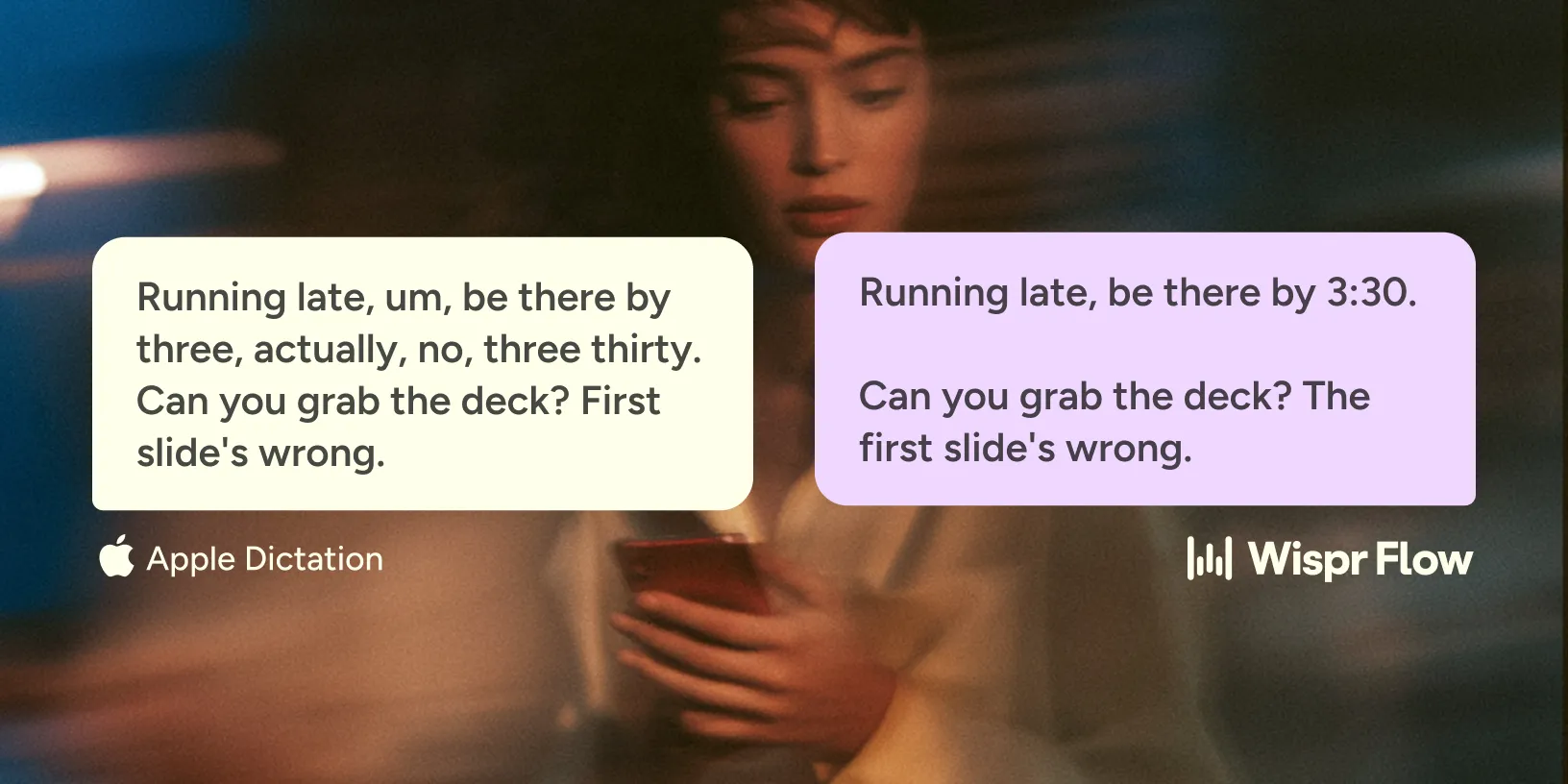

Say the same message into Flow and the "um" is gone, the "actually, no" is gone along with the sentence it replaced, and the text is broken into paragraphs where you breathed. Say "first, second, third" and you get a list. Flow also reads the kind of app you are in and can match the tone you set for it, formal in email and casual in a personal message, on Mac, Windows, and iPhone in English.

The dictionary is the second half of the same story. Flow keeps a list of your names, products, and jargon, applies a spelling rule you set, and carries the list to your other devices. Apple Dictation has no equivalent. Its only personalization is the names in your Contacts, which is why people who dictate technical work on Apple's engine end up adding fake contacts.

All of this works in 100+ languages, including regional variants, and Flow detects which one you are speaking. Apple Dictation covers 63, and its automatic punctuation covers 33 of them.
Speed follows from the cleanup. The Wispr Flow help center puts it at about 4x faster than typing, and the reason is that you are not going back to fix what landed.
Where Wispr Flow wins
Flow wins where the writing is the job. It runs on the machines Apple Dictation does not: a Windows laptop, an Android phone, and the Mac beside them, with one dictionary that learns your names and terms and follows you between all three.
It stops when you let go of the key, not after 30 seconds of silence. On Mac and Windows you can hold a shortcut, say what to change, and watch it change. And none of that is gated to the newest phones or to English.
How to test both in ten minutes
- Pick a real message you need to send, at least four sentences long, with one name in it that autocorrect usually gets wrong.
- Dictate it into Apple Dictation. Pause once for five seconds mid-thought. Count the edits you make before you would send it.
- Add that name to Flow's dictionary, dictate the same message, and count the edits again.
- Turn off Wi-Fi and cellular data and repeat step two. Apple keeps working in most languages. Flow will tell you it needs a connection.
The edit count in step three against step two is the whole comparison. Step four is the trade you make for it.
Best for and not best for


Short things a few times a day: a text, a reply, a search, a note. It fits people who type well and use voice as a supplement, since the keyboard stays open while you dictate. It fits anyone whose rule is that audio never leaves the device, and IT teams who want to enforce that rule through device management.

Paragraphs on older or base hardware, work full of names and jargon, anyone who wants the tone to differ between Slack and a document, or anyone on Windows or Android.
People who write for a living by voice: email, documents, messages, prompts, and code, across a Mac, a Windows PC, and a phone, in any of 100+ languages, with one dictionary that follows them.
Offline work, iPad, or anyone who wants voice editing on the iPhone itself, where Apple has it and Flow's command mode does not work today. On iPhone, Flow is a keyboard you switch to with the globe key, and a few apps, some banking apps among them, block third-party keyboards entirely.
You might be wondering.
Questions
In 48 of its 63 languages, yes. Apple processes those on the device and says no internet connection is required. The other 15, including Polish, Hindi, and Czech, are sent to Apple's servers and are not stored unless you opt in. Wispr Flow transcribes in the cloud on every platform, so it always needs a connection.
Apple's guide says Dictation stops automatically when you stop speaking for 30 seconds, on iPhone, iPad, and Mac, and there is no setting to change that. Flow's push-to-talk stops when you release the key. Hands-free mode on Mac and Windows stops when you press the shortcut again.
Not to Dictation itself. Apple uses the names in your Contacts, and Text Replacement is a typing shortcut rather than a dictation dictionary. Custom vocabulary exists in Voice Control, an accessibility feature that replaces Dictation while it is on. Flow has a dictionary that learns your words and syncs across devices.
Yes. Flow is free to download and use on Mac, Windows, iPhone and Android, with a weekly word allowance and no credit card. You only pay if you write past it.
Answer
{{FAQ Answer}}
{{FAQ Answer}}
{{FAQ Answer}}
{{FAQ Answer}}
{{FAQ Answer}}
{{FAQ Answer}}
{{FAQ Answer}}
{{FAQ Answer}}
{{FAQ Answer}}
{{FAQ Answer}}
{{FAQ Answer}}
{{FAQ Answer}}
{{FAQ Answer}}

.jpg)